
Photo or sketch to 3D model
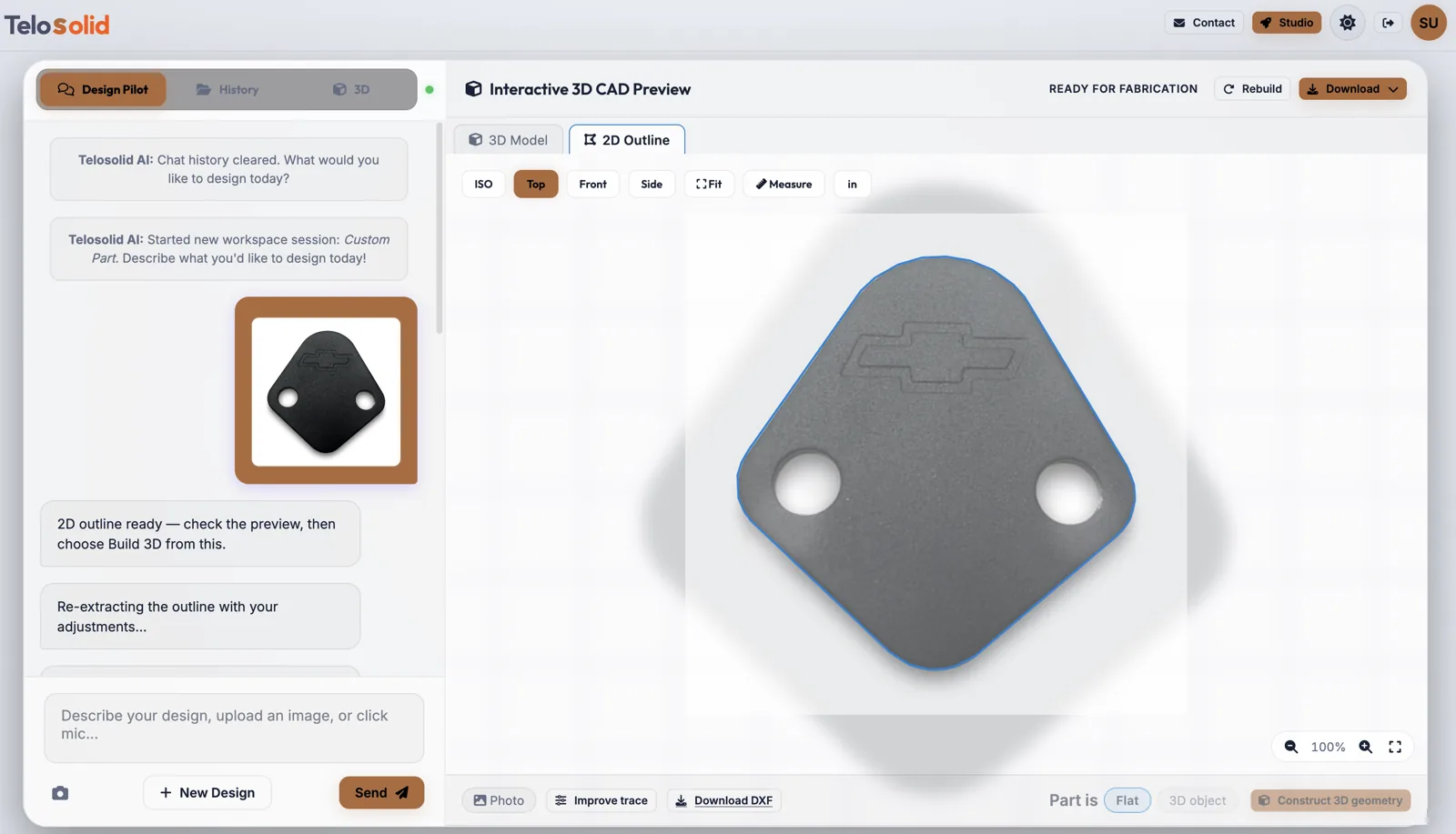
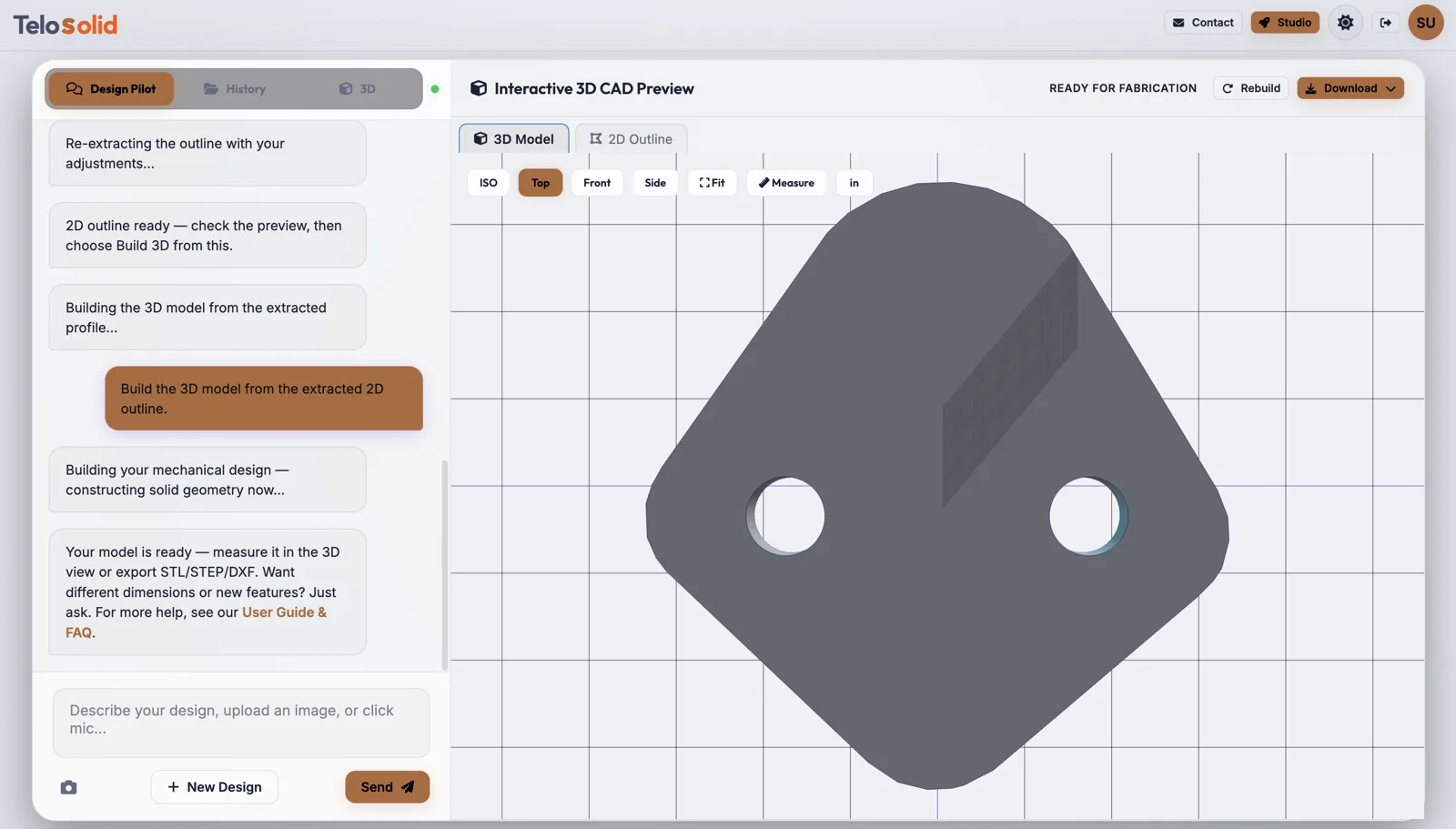
The part exists, the drawing does not. Photograph it on a plain background and get a clean, editable model back, plus a traced 2D outline you can cut from directly.
When this is the right route
Describing a part in words is fine when you are designing something new. It is a poor way to reproduce something that already exists: you would have to measure and describe every feature before you could even start.
A photo skips that. It is the fastest route when you are:
- Replacing a broken part whose manufacturer is gone or whose drawing was never digital.
- Reproducing a flat component such as a bracket, gasket, shim, plate or panel.
- Working from a sketch on paper that already has the shape right.
- Digitising a legacy part so it can be modified rather than re-drawn.
Flat parts are the accurate case
For a flat part, the silhouette is the shape. Telosolid traces the outline from the photo and builds the solid directly from that traced profile, at whatever thickness you state. There is no guessing about depth, because there is nothing to guess.
Set Part is: Flat and choose Construct 3D geometry. You also get the traced outline as a DXF, which is what a laser cutter or waterjet wants, so a flat part can go from photograph to cut path without a 3D step at all.
For parts whose depth varies, such as a drill body, a bottle or a housing, leave it on 3D object. The model is built from the photo as a whole, and the outline stays a separate 2D deliverable.
How to photograph a part so the trace is clean
Almost every poor result traces back to the photo rather than the software. Five minutes of care here saves a lot of correcting later:
- Plain, contrasting background. A dark part on white paper. A busy background is the single most common cause of a messy outline.
- One part, filling the frame. Not a workbench with the part somewhere on it.
- Shoot straight on. An angled photo produces a distorted silhouette, and the distortion becomes part of the model.
- Even light, no hard shadows. A shadow reads as an edge.
- In focus. A soft edge traces as a soft edge.
If the trace still is not right, Improve trace lets you adjust how much detail is kept, remove specks, and decide whether interior holes are included, then re-trace without rebuilding the design.
What to tell it alongside the photo
A photograph gives the outline. A sentence alongside it gives everything else, and the model comes out right first time:
- Say the real size. “This bracket is 90 mm across”. Nothing in the image says how big the part is.
- Say the thickness for flat parts.
- Describe what the camera cannot see, such as a counterbore on the far face, a thread, or a pocket underneath.
- Check critical dimensions against the real part before you have anything made.